
acronsoft.Contact us

ACRONSOFT ERP · AI CONNECTED

AcronSoft ERP: from data to reports.

Our own enterprise software connects sales, purchasing, inventory and organizational operations with AI-assisted evidence preparation and management reports.

From queries to the next report.

  1. 01

    Check current data

    Review the source records and data available for the question.

  2. 02

    Extract materials

    Collect data and evidence for the period and reporting purpose.

  3. 03

    Organize key points

    Identify gaps, upcoming renewals and indicators to review.

  4. 04

    Review and publish

    Staff review the materials before using or publishing the report.

See how data becomes a report.

Illustrative screens reconstructed with fictional companies, documents and figures. The demo images show a Korean interface.

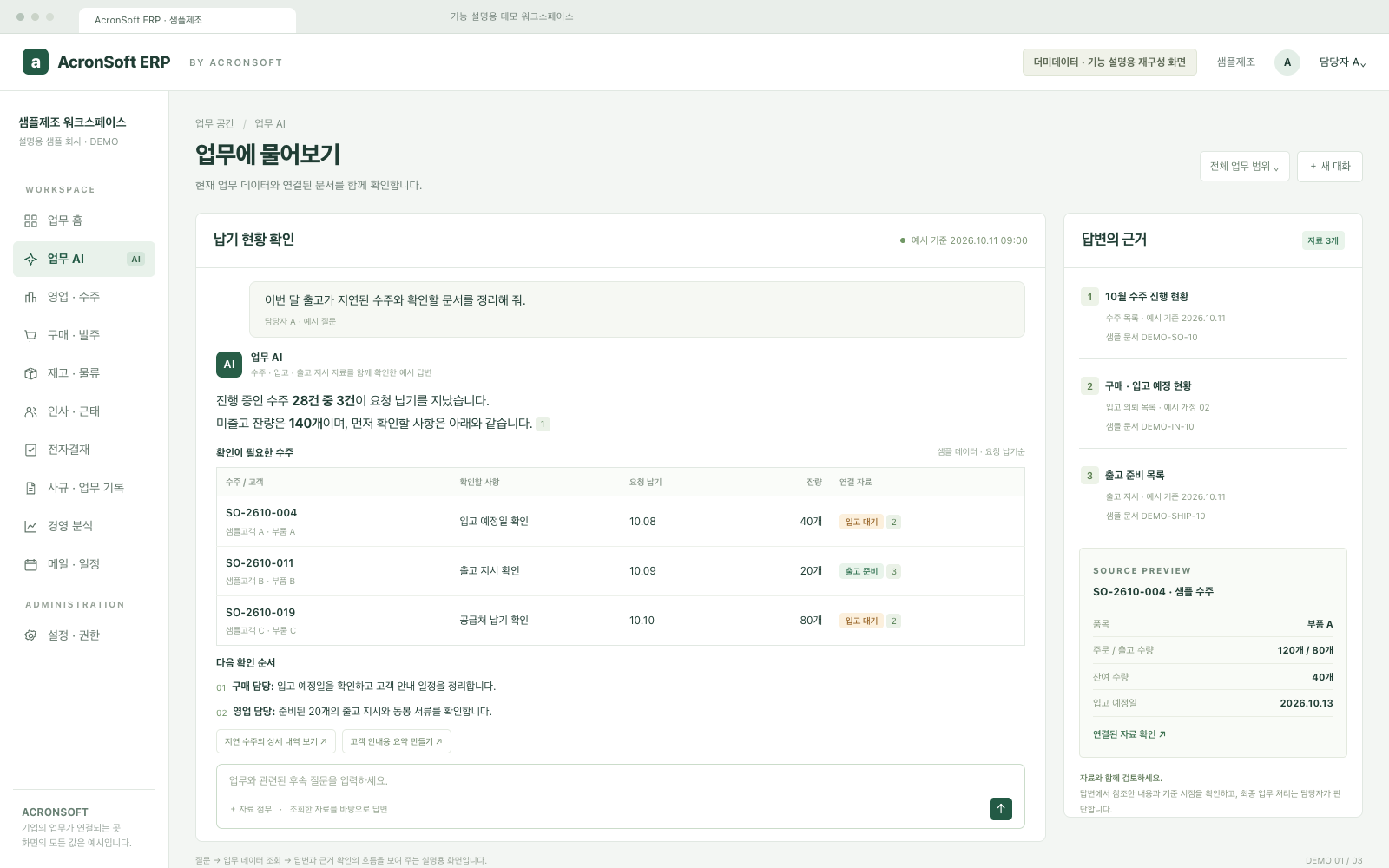
AI data queries

Ask questions against current business data and review the referenced records.

AI data queries — fictional demo data, Korean interfaceView full-size image ↗

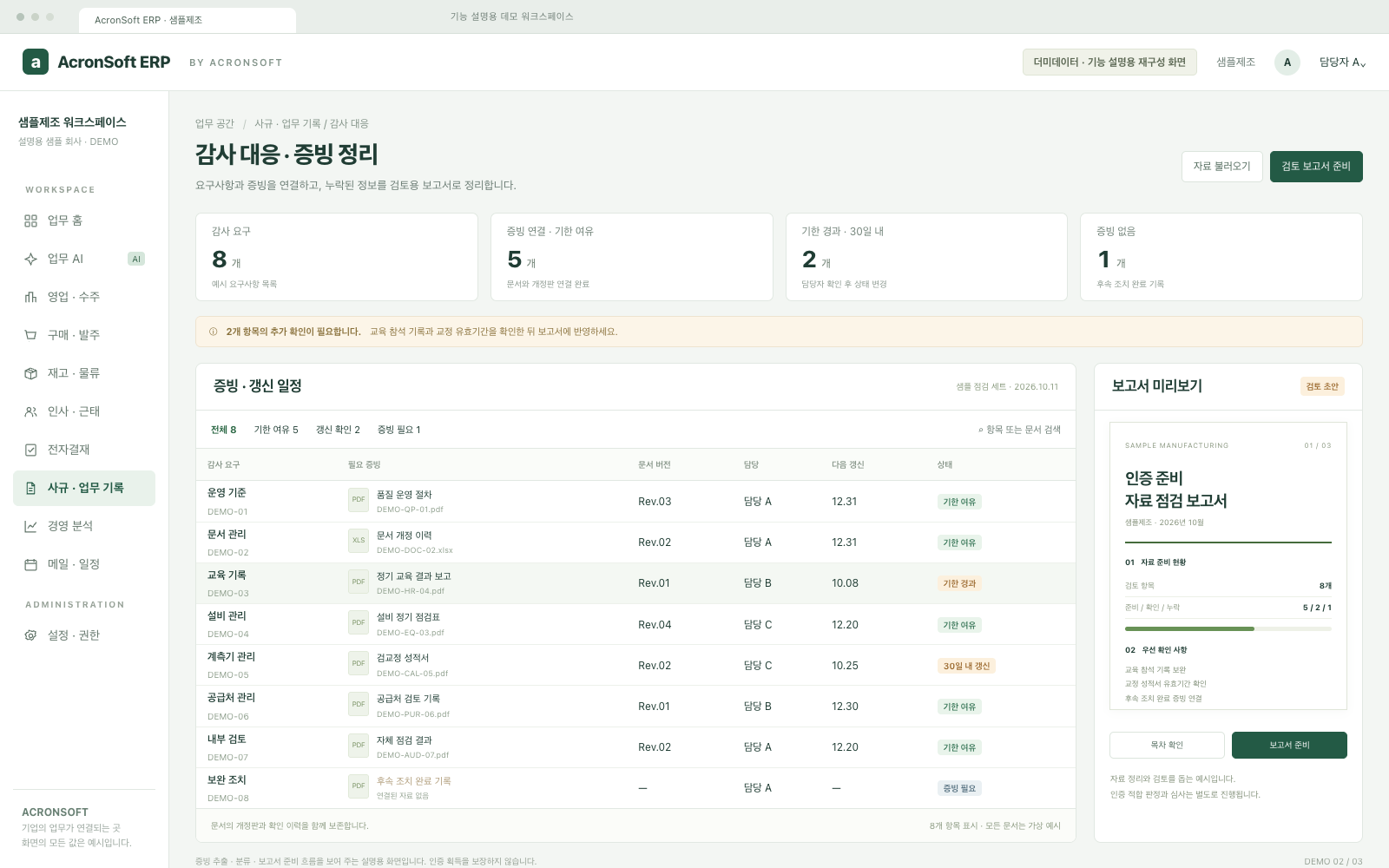
Certification evidence

Connect requirements with evidence and identify missing or expiring materials.

Certification evidence — fictional demo data, Korean interfaceView full-size image ↗

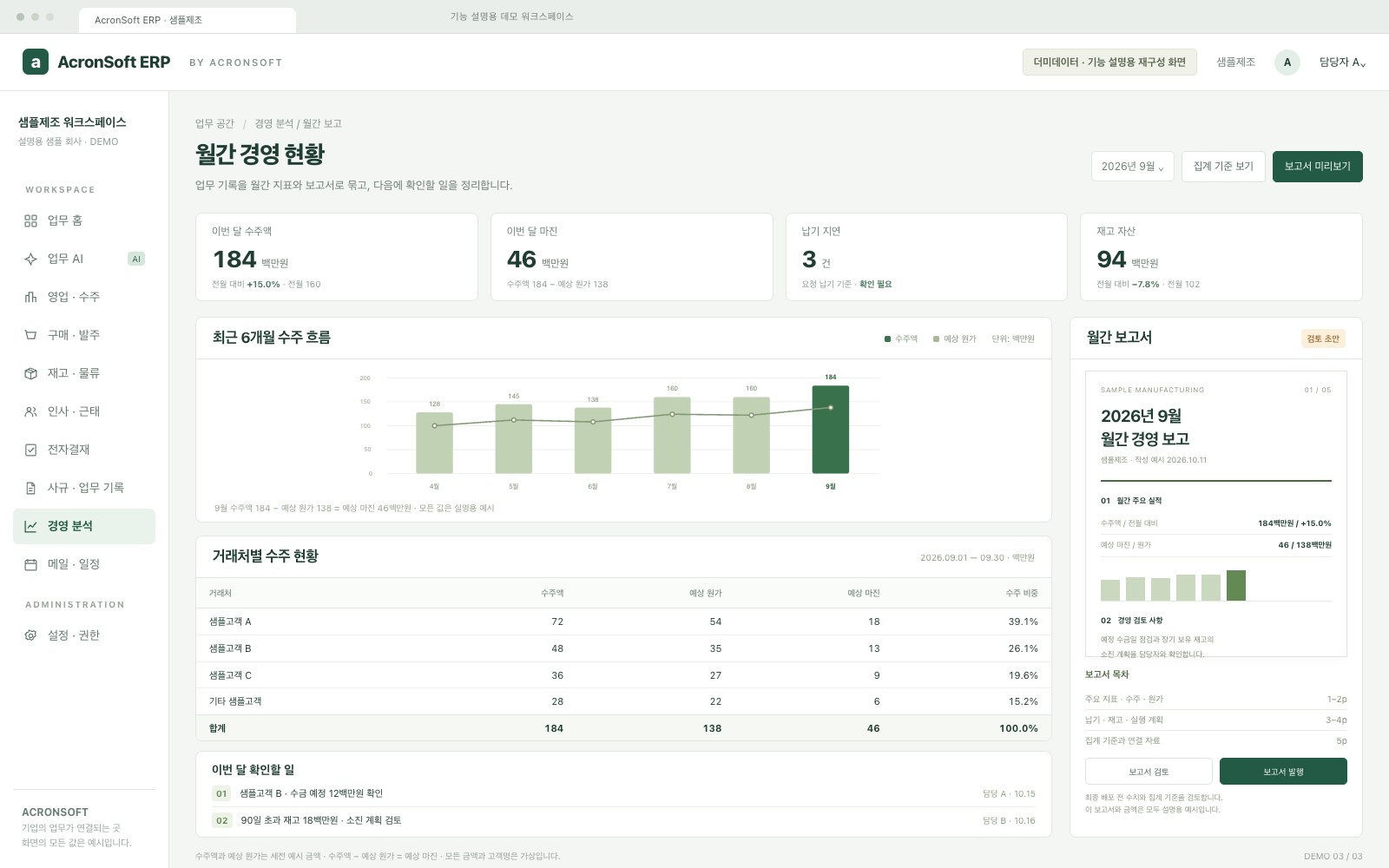
Management reports

Summarize orders, margins, inventory and delivery for leadership review.

Management reports — fictional demo data, Korean interfaceView full-size image ↗

Capabilities by workflow.

01

AI data and reports

Use current ERP data to answer questions and prepare evidence and management reports.

  • Queries with scope and observation time
  • Extract records for certification preparation
  • Review missing or expiring evidence
  • Publish management reports
02

Sales and orders

Connect customer orders, quotations and the next department’s work.

  • Customer, item and project order records
  • Delivery dates, payment and sourcing conditions
  • Compare estimated and actual costs and margins
  • PDF quotations, printing and email
  • Purchase/shipment instructions and delivery statements
03

Purchasing

Turn sales sourcing requests into supplier orders and inbound work.

  • Receive purchasing instructions
  • Item quantities, prices, currencies and delivery terms
  • Exchange rates and supplier document templates
  • Order review, printing and email
  • Inbound requests and partial receipt tracking
04

Inventory and shipping

Trace quantities and movements from receipt to shipment.

  • Multiple items and partial receipts
  • LOT creation and stock ledger
  • Consolidated shipping instructions
  • Partial shipment, FIFO deduction and shipping costs
  • Period-based stock movement records
05

HR and attendance

Manage people, organizations, attendance and leave records.

  • Employee information and organization chart
  • Attendance and clocking corrections
  • Leave, overtime and amendment requests
  • Training applications and completion evidence
06

Approvals

Separate submitted requests, pending approvals and completed records.

  • Unified approval inbox
  • Leave and overtime approvals
  • Policy version review and approval
  • Permissions by owner and approval stage
07

Equipment and assets

Gather operating and maintenance history for equipment, instruments and IT assets.

  • Inspection and repair records
  • Calibration cycles and certificates
  • IT asset issue, return and reassignment
  • Software seat allocation and history
08

Policies and business records

Connect policy versions, effective documents, forms and evidence.

  • Create and revise controlled documents
  • Review, approve, publish and archive versions
  • Connect forms to completed records
  • Audit evidence and safety work tracking
09

Management analysis

Review departmental records as business indicators and summaries.

  • Orders, sales and customer results
  • Cost and profitability by permission
  • Inventory and workforce summaries
  • KPI targets, performance and sales budgets
10

Mail, calendars and integrations

Connect communication, schedules and notifications to business work.

  • Personal/shared mail and attachments
  • AI-assisted rewriting and translation when configured
  • Shared calendars and workflow notifications
  • Permission-based external queries for customers, items and stock

AI queries and reports depend on connected data, account permissions and deployment configuration. Modules, integrations, environment and cost are discussed during consultation. Certification materials and reports require staff review.

Let’s talk about your next step.

Tell us about the work you want to improve and the environment you use.